
Lemnos
Released Oct 2026The open, accessible game board: an island of 37 lit hexes with six slots around it for the players’ controllers and their 10-light bars. Every game can be played with as little as a single switch, and anything a game knows shows up in the board’s lights, so nobody has to read a screen, hold cards, or move little pieces. You play it with whatever controller works for you, and the board does the bookkeeping. There are no pieces to set up, move, or put away, so nobody needs a helper between turns.
Build guide: parts list, printing, wiring, and setup →
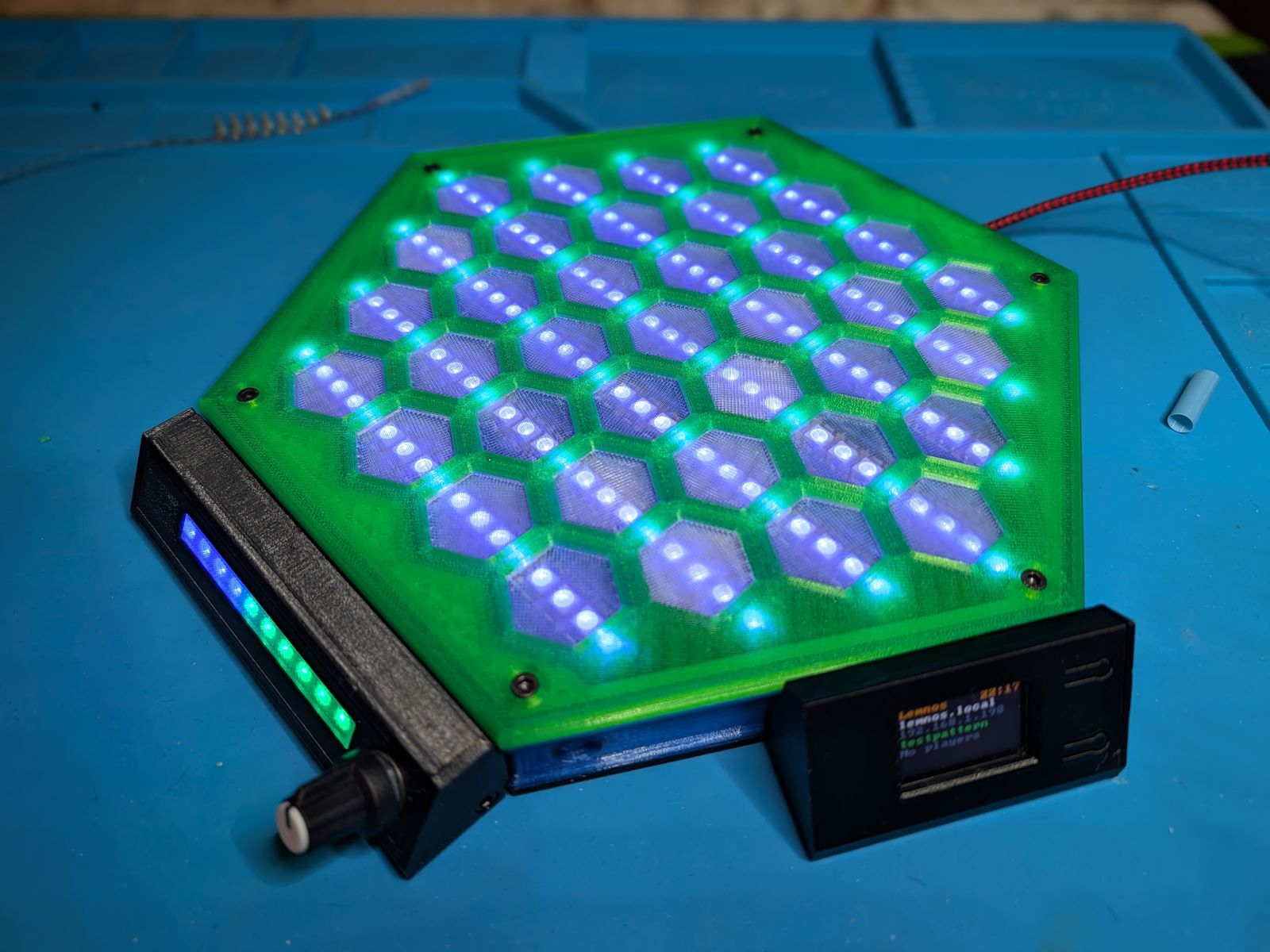
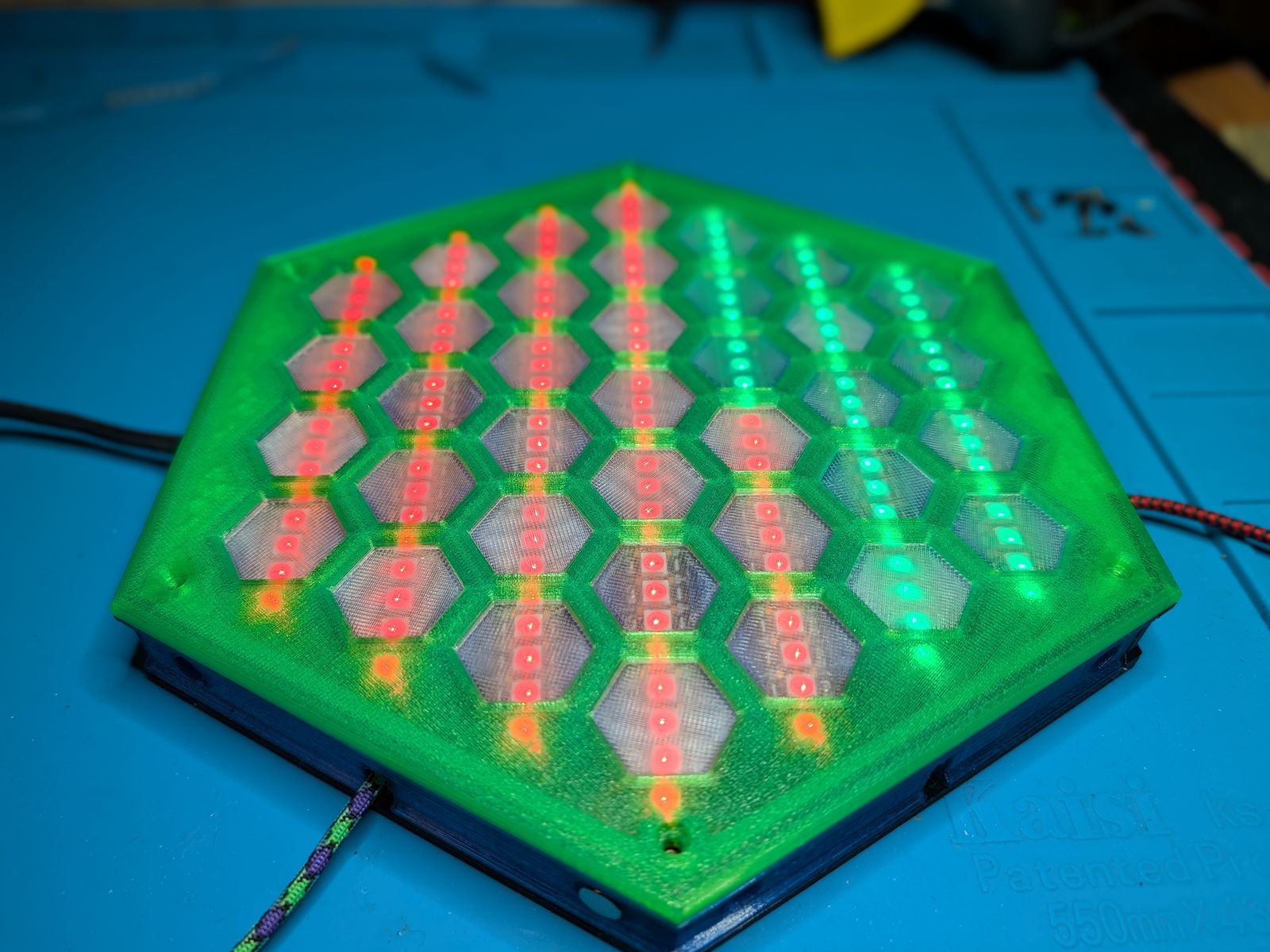
Most games built for players with limited movement are simple ones, like tic-tac-toe with big pegs. Lemnos is meant to run real games with real choices in them, where the only thing that changes is how you tell the board what you want to do.
Games
- Island Rush, the first game. Up to six players race through the jungle to the taco truck in the middle of the tiger-infested island. Play against friends or the computer.
- Attract screens (or wall decorations or soothing patterns or night lights): an analog clock, a forest fire, fireflies, the northern lights, and rain on a pond.
- Games are plug-ins: plain or compiled Python files on the board’s USB drive. The board handles the game picker, setup, menus, and controllers, so a game only has to know its own rules, and you can edit one (the source is on the drive too) or write your own with nothing but a text editor.
Controllers
Every game uses the same three actions: move, pick, and back. Anything that can send those can play, and players at the same table can each use something different:
- The Standard Controller: a knob and a button, with the player’s own 10-light bar built in.
- One switch: the board steps through the choices on its own, and you press when it gets to the one you want.
- A foot pedal, big buttons, a D-pad, or a knob, wired straight to the board.
- Bluetooth controllers (with the optional radio): a Wiimote, Switch Joy-Cons, PS3, PS4, and PS5 controllers, Xbox controllers, the Xbox Adaptive Controller, and whatever switches are plugged into it, and many more.
- A phone or tablet: a D-pad on a web page, over Wi‑Fi (also with the radio).
- A computer, from a web page on the board’s USB drive, using an on-screen D-pad or the keyboard.
Whatever they play with, every player still needs their light bar in front of them, so there’s also the Basic Display: the Standard Controller’s housing with the bar and no controls. The board has six slots around its edge, and each Standard Controller, Basic Display, or the Radio Case takes one, so with the Radio Case there’s room for five players at the board, in any mix. An ESP32 mounted inside the board instead leaves all six slots free.
Built to the PlayforAll brief
Lemnos started as an entry for PrintLab’s PlayforAll brief in MakerWorld’s Make for Good contest: an accessible tabletop game for people with cerebral palsy who have trouble with fine motor control and hand-eye coordination. These are the brief’s must-haves, and how the board meets each one.
Physical and 3D printable
Lemnos is a board you sit around with your friends, not a screen. The game happens on the island in the middle of the table, and the bars in front of each player.
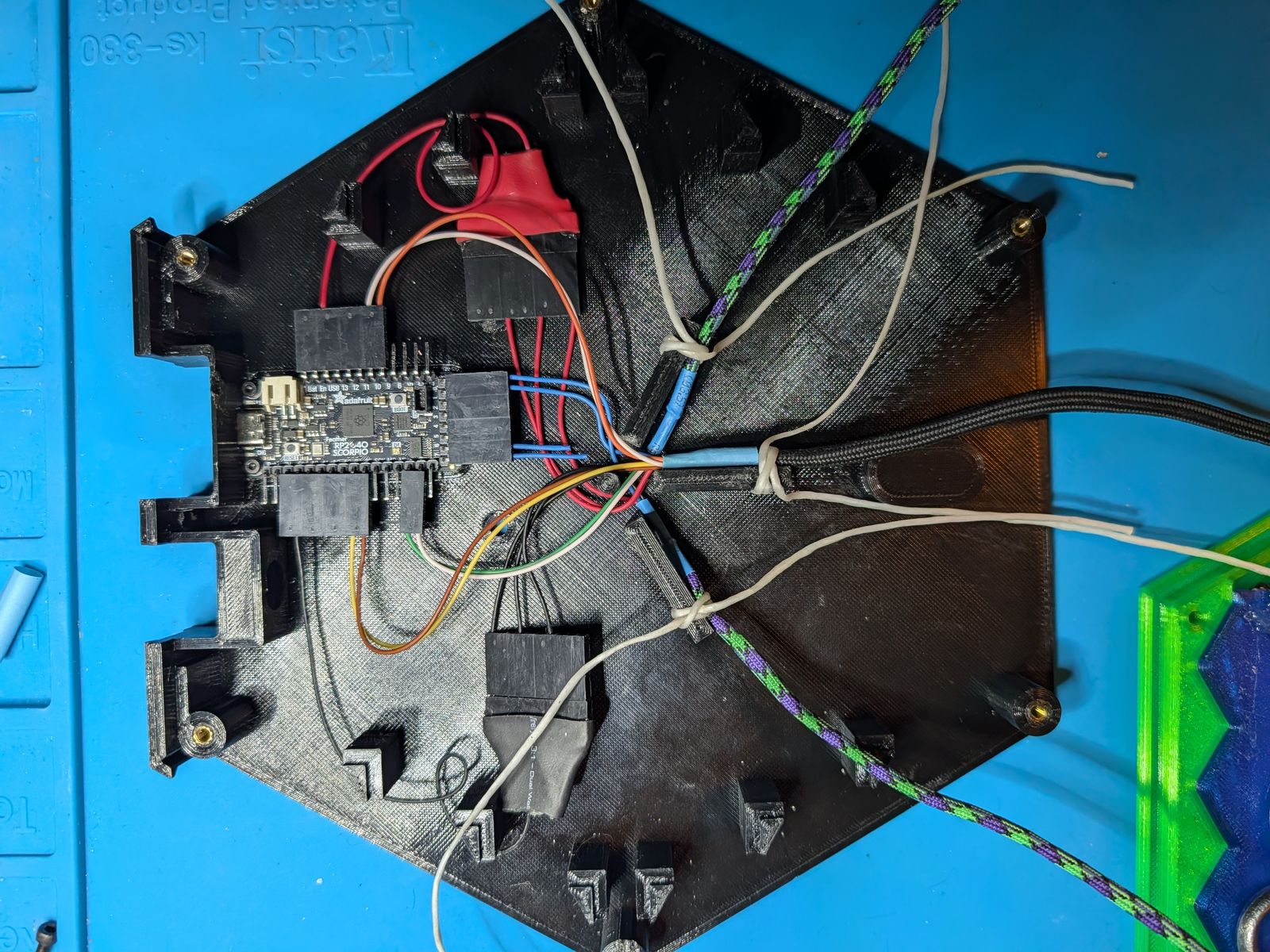
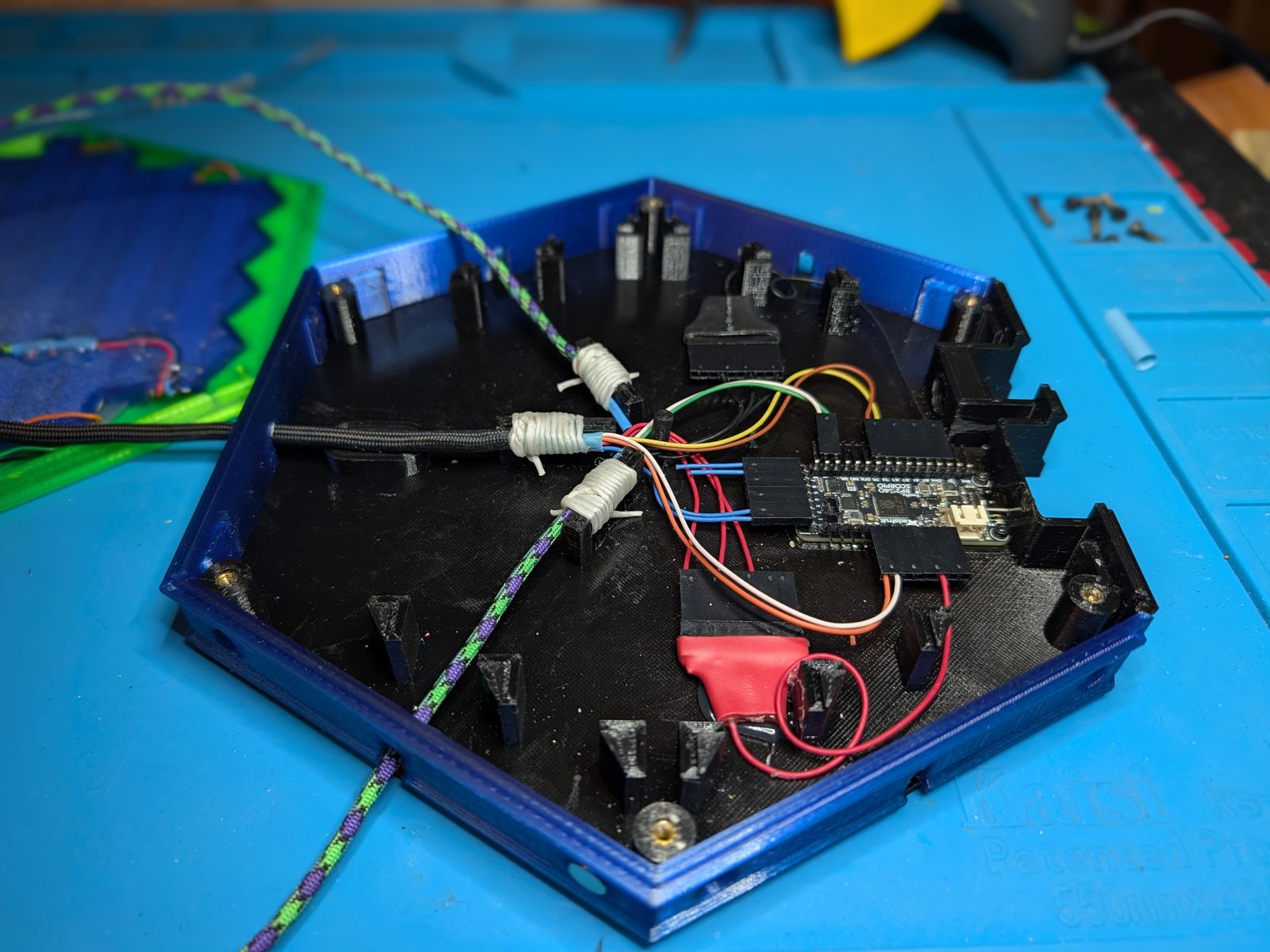
All of it is 3D printed: the board itself and everything inside it that holds the electronics, the controllers, and the radio’s housing. Print it, wire it, play.
The Standard Controllers and Basic Displays are tethered to the board. They pull out to wherever each player sits, then push back in and dock to the board with magnets, so the whole thing folds up into a single unit and opens out into the board and however many controllers and displays you built.
Accessible interaction
There are no pieces to pinch, grasp, or place. The board’s included game engine can adapt to controllers as minimal as a single switch, and anything that can send move, pick, and back can play: a pedal, big buttons, a knob, an Xbox Adaptive Controller and whatever switches are plugged into it, or a phone. Each player uses whatever works for them, at the same table, in the same game.
Independence
The board sets up the game, keeps score, rolls the dice, and resets for the next one. Joining, picking your seat and color, playing again, and leaving are all done from your own controller, and the computer plays any empty seat, so nobody has to wait for someone else to show up, or to help.
Originality
The board, the way it’s played, and Island Rush are all new. Island Rush is a race through the jungle to a taco truck, with tigers, and nothing like it exists to copy. And because games are plug-ins, the board is a platform for games nobody has thought of yet.
Fun and replayability
Island Rush has a clear goal (get to the truck, and hold it), real choices (charge or build up, go around the tiger or fight it), and enough luck in the dice that no two games go the same way. Games run about 3 to 8 minutes, so there’s always time for one more, and thousands of simulated games keep it fair for every seat. It isn’t a therapy exercise. It’s a game you’d play anyway.
Practicality
Nothing has to be positioned, so nothing can be knocked out of place, lost under the couch, or set up wrong. The controllers and displays never come off the board, and it all packs away as one piece. The lights show everything, and the board remembers everything.
Safety
No small parts to lose or swallow: there are no pieces at all, and the controllers and displays stay tethered to the board. Nothing flashes fast enough to set off photosensitive seizures, the brightness starts low, and the LED current is capped. The full list is below.
Specs
- The Board
37 hexes in 7 rows, 111 LEDs (155 on the small board with 144/m strip) - Slots
6, for any mix of Standard Controllers, Basic Displays (each with a 10-light bar), and the radio - Brain
Adafruit Feather RP2040 SCORPIO running CircuitPython - LEDs
5 V WS2812B-type strip on 8 parallel outputs; the whole board updates in about 3.5 ms - Radio (optional)
An ESP32: a LilyGO T-Display in the Radio Case, which takes one slot, or another ESP32 inside the board, which takes none, for Bluetooth controllers, phones, a settings page, and the time of day (a Pico W or Pico 2 W works for Bluetooth controllers only, for now) - Players
1 to 6 (up to 5 with the Radio Case), with the computer filling empty seats - Storage
Controllers and displays are tethered, retract, and dock magnetically; it all folds into one unit
How a game works
The whole point of the board is that other people can make games for it, so the board does the hard parts and a game doesn’t have to. A game is one Python file (or a folder, for a big one) in the games folder on the board’s USB drive. It never touches a pin, an LED strip, or a controller. It gets actions, and it draws lights by name. This is a whole game:
# games/hello.py
from gamehost import geometry as G
from gamehost.game import Game as BaseGame


class Game(BaseGame):
    def __init__(self, board):
        BaseGame.__init__(self, board)
        self.lit = G.spot("D4")                     # the center hex

    def event(self, controller, action, now):
        if action == "move":
            self.lit = (self.lit + 1) % G.SPOTS     # the next hex in reading order

    def draw(self, lights, now):
        lights.spot(self.lit, [(255, 255, 255)] * 3)
Put GAME = "hello" in config.py and it runs at power-up. No compiler, no toolchain, no IDE. Notepad works. Here’s what the board does so your game doesn’t have to:
- The frame loop. 40 times a second the board tells the game which controllers showed up or left, hands it every action since the last frame in order, lets it run its clock, blanks the lights, and asks it to draw. Draw everything, every frame; there’s nothing to remember about what you lit last time.
- Names, not wires. Hexes have names like chess squares (rows A to G, so
"D4"is the middle), and every seat gets its own view of the board, so “left” is that player’s left. The same game runs on the large board and the small one, and on any wiring. - Controllers are just actions. A game never knows if you’re holding a Wiimote, pressing a pedal, or tapping a phone. It gets move, pick, and back (and arrows, if the controller has them), and it can ask what a controller can send. Design for one switch, and everything else works too.
- Setup is a list, not a screen. A game lists what it needs to know (seats, colors, how many players, how hard) and the board’s lobby walks everybody through joining and choosing, the same way for every game. The USB page shows the same list as a form with a Start button. Play again, change seats, and leave are all handled.
- The menu and the game picker. Any game can be left from any controller at any time, and the game doesn’t need a line of code for it. A small
card.pydraws the game’s picture in the picker. - Effects and dice. Blink, breathe, flash, and a light chasing along a bar, all on one clock so everything stays in step, plus a die that rolls along a player’s bar and slows to a stop. The safety limits below get applied to all of it automatically.
- Console commands. List a few commands in your game and they show up in the board’s
helpon the USB console, which is handy for testing. - Rules apart from lights. Island Rush’s rules and computer player only know the board’s shape, never its lights or controllers, so the exact same code runs in desktop tests and in the simulator. Only
game.pytouches the board. Do the same and you get a simulator for free.
Paint is the smallest whole game, about 80 lines, and it’s meant to be copied. The longer version is the making games guide.
Safeties and house rules
A lot of these got added along the way, usually right after something went wrong. The first group the board enforces on every game, whatever the game asks for. The last group are rules I hold my own games to, and I’d ask you to hold yours to them too.
Protecting people
- Nothing flashes faster than 3 times a second. Flashing between about 3 and 30 times a second can set off photosensitive seizures, so any effect that switches lights on and off gets slowed to the limit, no matter what a game asks for.
- Fades have to be smooth. The attract screens get tested on the desktop: no LED may go from dark to full in less than about 0.2 seconds.
- Everything can be slowed down. One setting stretches every effect and every dice roll, for players who need more time.
- Easy on the eyes. The LEDs are genuinely painful at full brightness, so the default is 10%, set 1 to 10 on a log scale from the USB page or a phone and remembered through power-off. At low brightness the cursor’s glow is doubled so it doesn’t just disappear.
- A power cap. All the LEDs at full white would pull about 10 A (13 on the small board). The board works out the current every frame and dims the whole frame to stay under 4 A by default.
- Hard to leave by accident. The menu takes a 3-second hold on a wired switch, and then the board asks again: your bar turns green with one red light, and only picking the red one leaves. Anything else, or 30 seconds of nothing, goes right back to the game, which waited for you.
- No loose parts. There are no game pieces at all, and the controllers and displays stay tethered to the board. Nothing to lose, nothing to swallow.
Protecting the board (and the game you’re in the middle of)
- A broken game can’t take the board down. If a game crashes while starting, the board goes back to the one that was running.
- A game that won’t fit gets a clean start. If memory is too broken up to load it, the board restarts with that game in a few seconds, and the USB connection stays up.
- No boot loops. If the game saved for power-up won’t load or won’t fit, the board forgets it and starts the default game instead of failing every time you plug it in.
- Failures get logged, not hidden. A picture in the game picker that fails to load falls back to a blinking hex, and the console says why.
- One boss. The board’s own settings win, and the radio follows them, so the two can’t fight over which game is running.
- The radio is optional. Unplug it and the board runs exactly as before, just without Bluetooth and phones.
- Your settings survive updates. The deploy script never overwrites the
config.pyon the board’s drive.
House rules for games
- Everything is readable from the board. No hidden numbers, no clocks you have to keep in your head. If a player needs to know it to play, it’s in the lights. (This is the rule that sent Salient back to the bench.)
- It plays with one switch. Move and pick are all a game can count on. When a controller has no back button, the board adds a stop the player can pick instead.
- Numbers are built around 10. A 10-light bar per player, your chance shown as green lights out of 10, a ten-sided die.
- Lights read the same from every seat. A spot’s three lights are symmetric (one light is the middle one, two is the outer pair, three is all of them), so the player across the table sees the same thing you do.
- Colors mean one thing. In Island Rush, players can be red, blue, yellow, purple, cyan, or pink, but never green, orange, or white, because those are the jungle, the tiger, and the taco truck.
- Nobody sits out. No one gets knocked out of Island Rush, and the computer plays any seat nobody takes.
- The five-minute test. Anyone should be able to learn it in five minutes. Real choices, simple rules.
The name
Hephaestus, the Greek maker god, was lame, and his own mother threw him off of Olympus for it. Later Zeus threw him off too, and he landed on the island of Lemnos, where the people took him in. This Lemnos is also an island, made by makers, so more people get a seat at the table.
Files
The STEP model, the Fusion archive, the print files, and the print profile are on MakerWorld, and the parts list and build guide are here. The board software, the radio firmware, the wiring, the rules, and a guide to making your own games are on GitHub. Software is MIT; the rules, docs, and hardware are CC BY-SA.
Get the files on MakerWorld → View on GitHub Parts list and build guide